 Doc Summary

Learn the necessary steps to navigate the Arrow HQ portal and successfully complete your assigned training courses. This guide walks you through the process from accessing the modules to finalizing your progress.
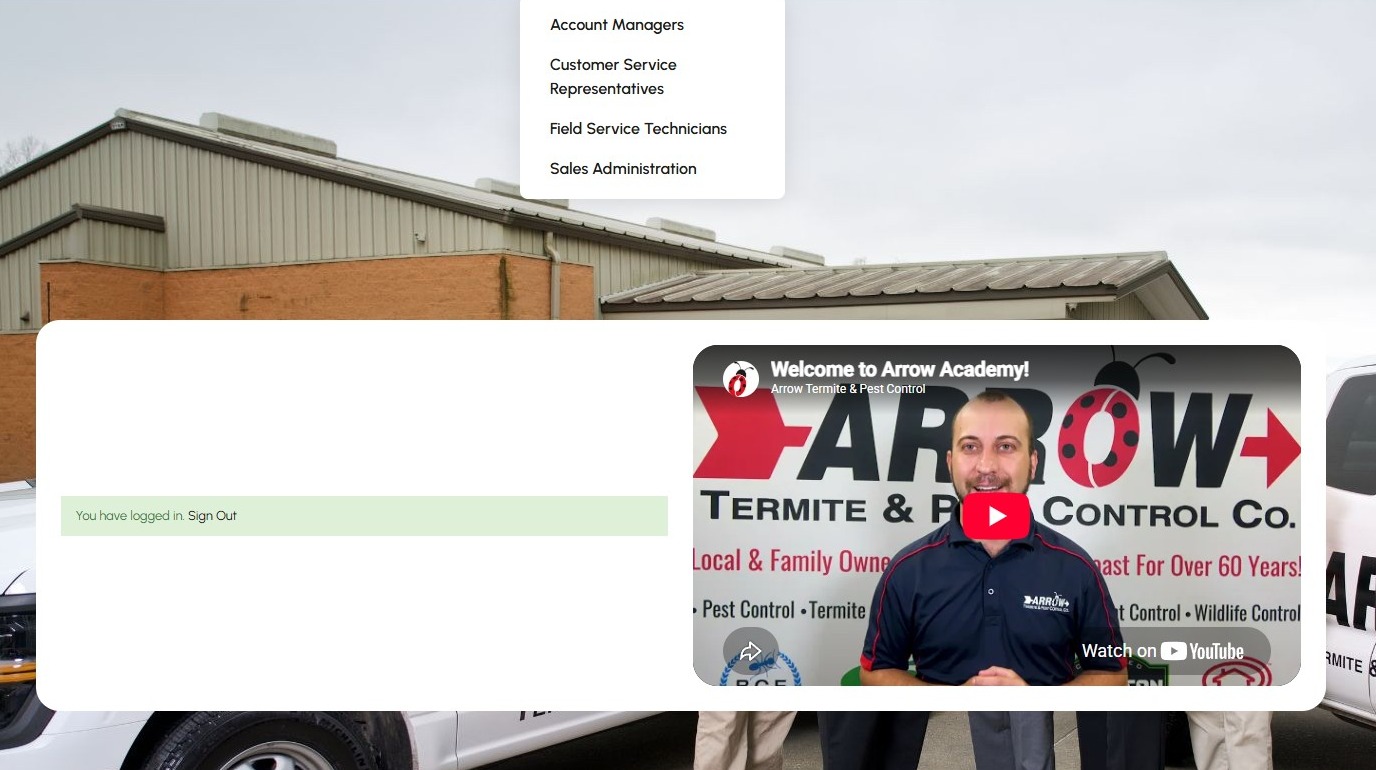
1. Navigate to https://hq.arrowtermiteandpestcontrol.com/
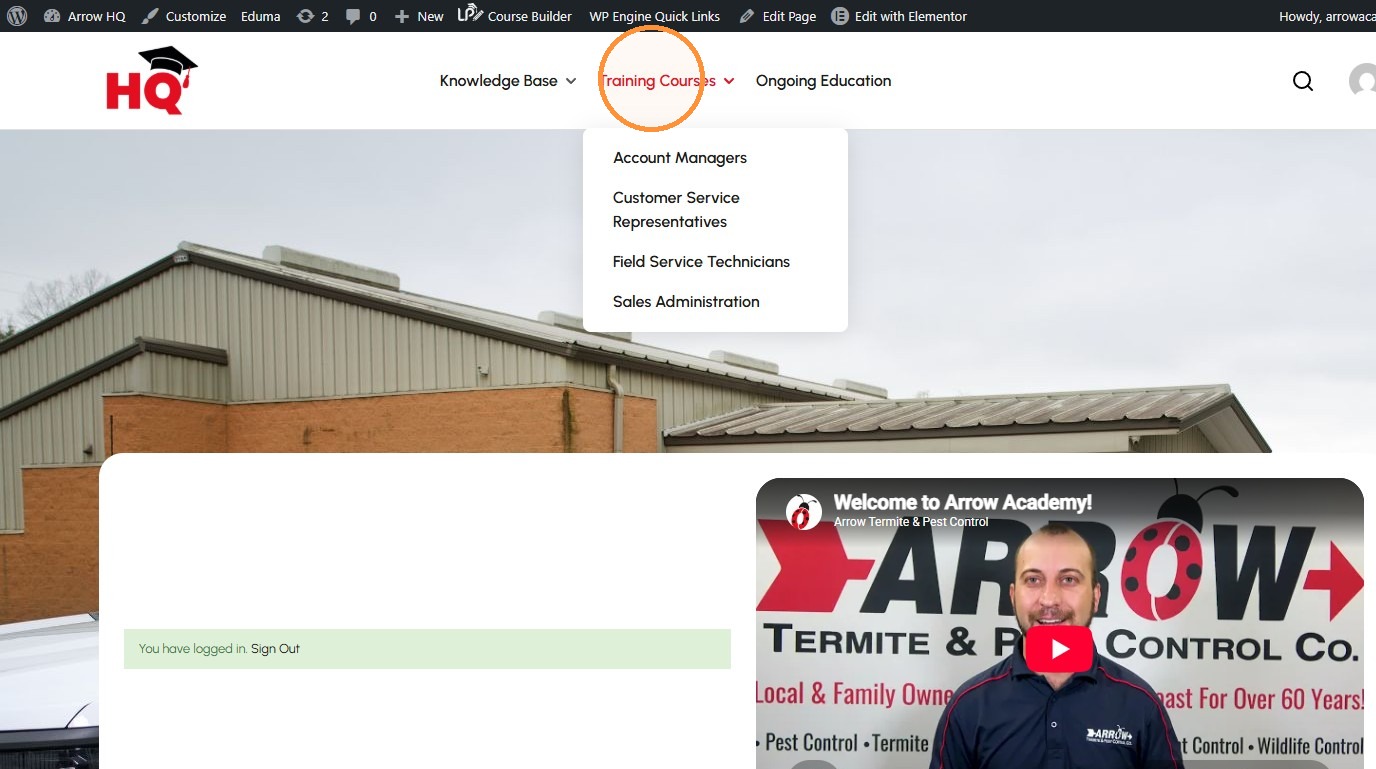
2. Click “Training Courses”
Course Selection #
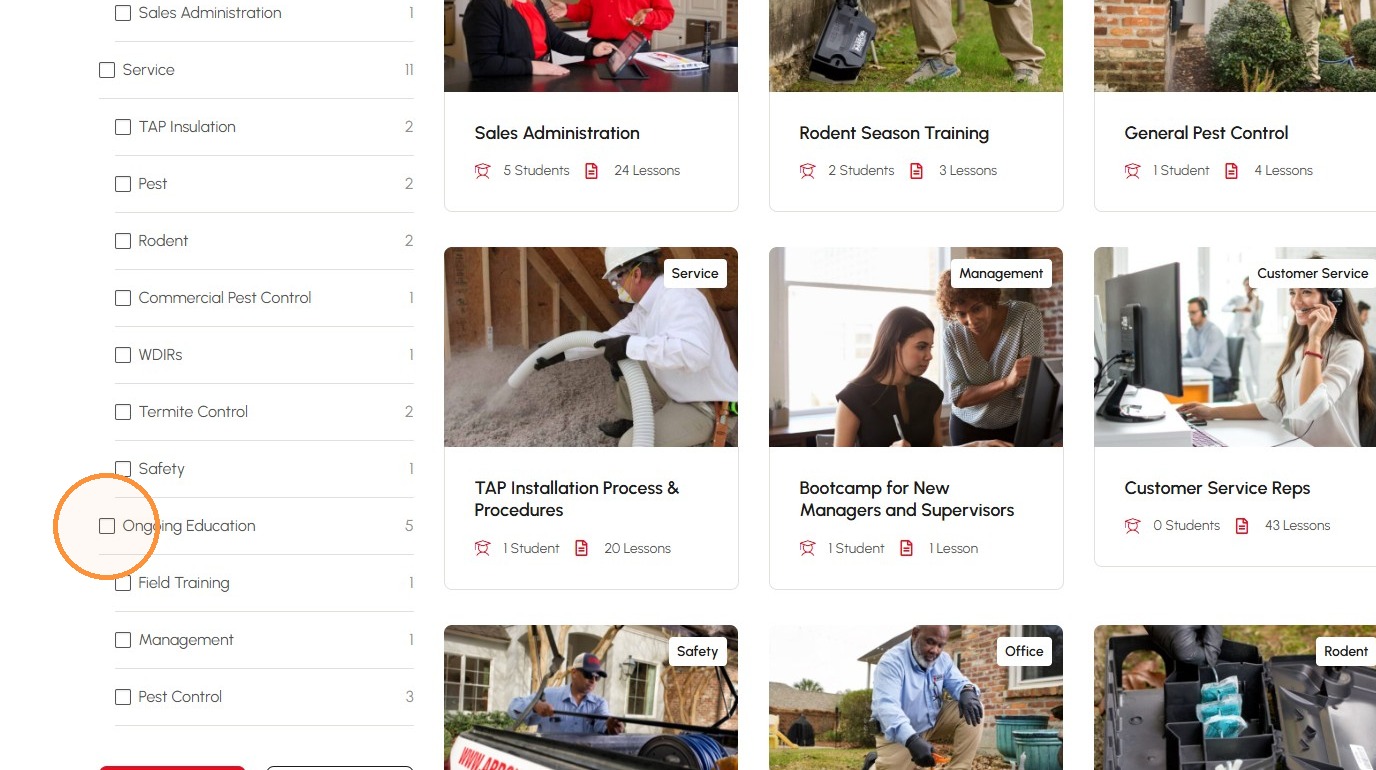
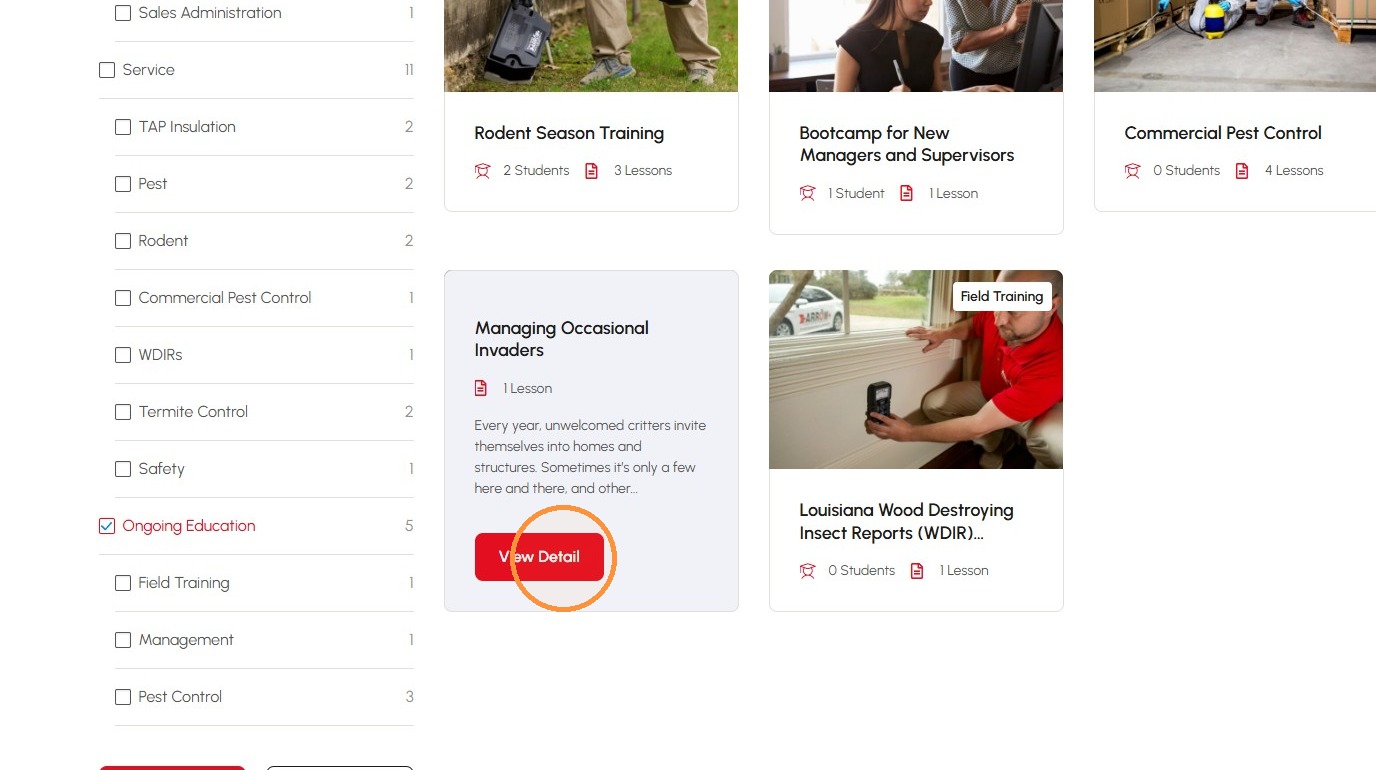
3. Select the Ongoing Education checkbox
4. Click View Detail for Managing Occasional Invaders
Lesson Launch #
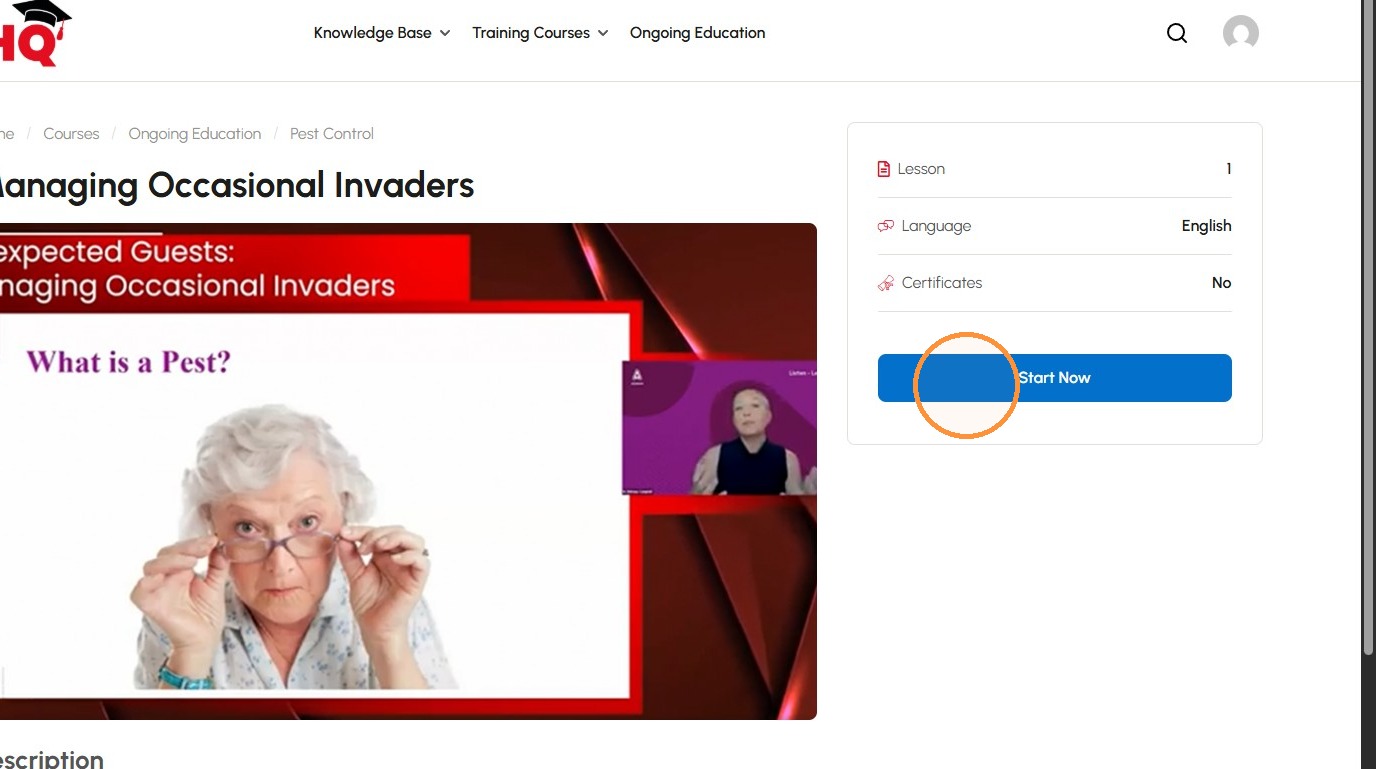
5. Click “Start Now”
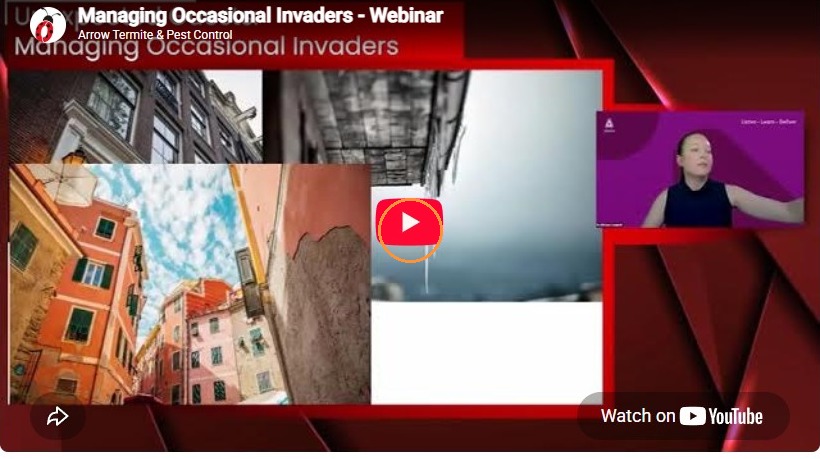
6. Mute the audio
7. Click “Play video”
Course Completion #
8. Click “Complete”
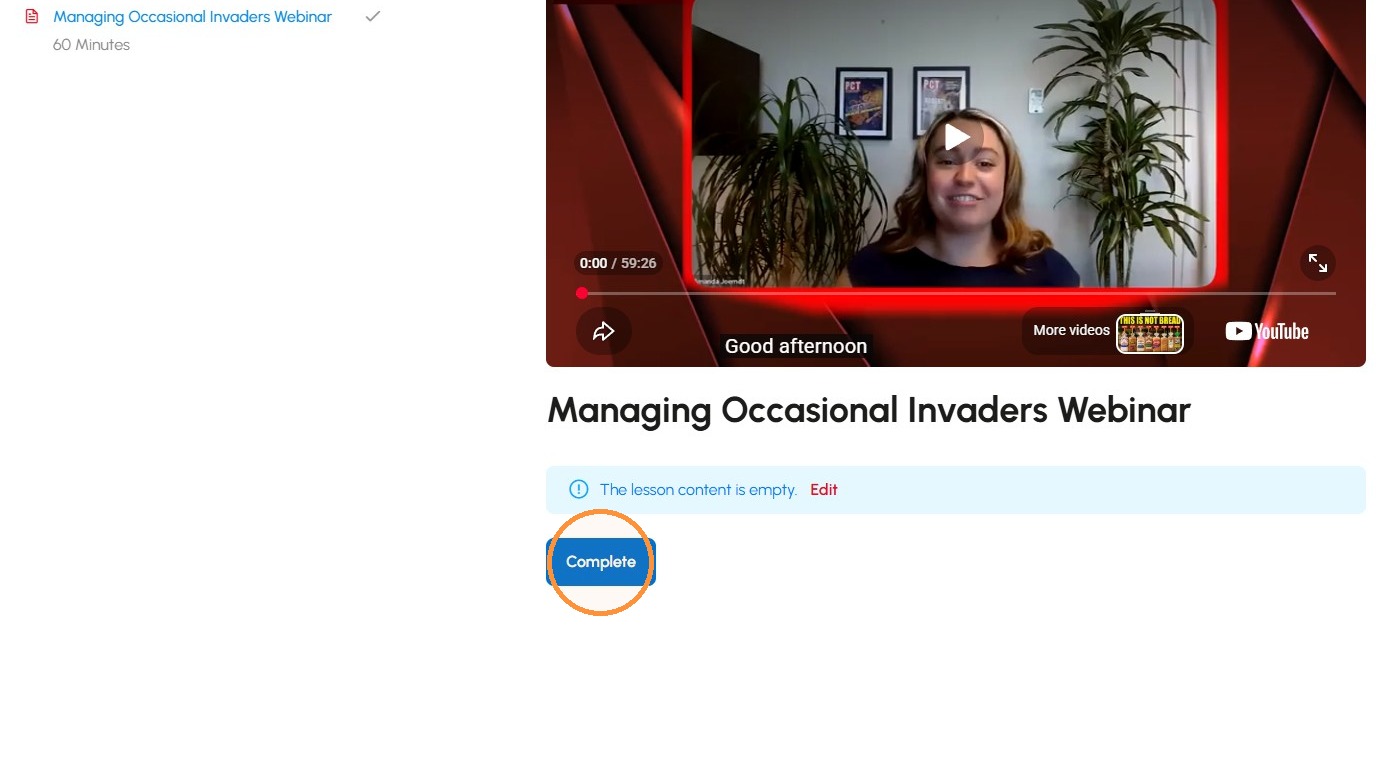
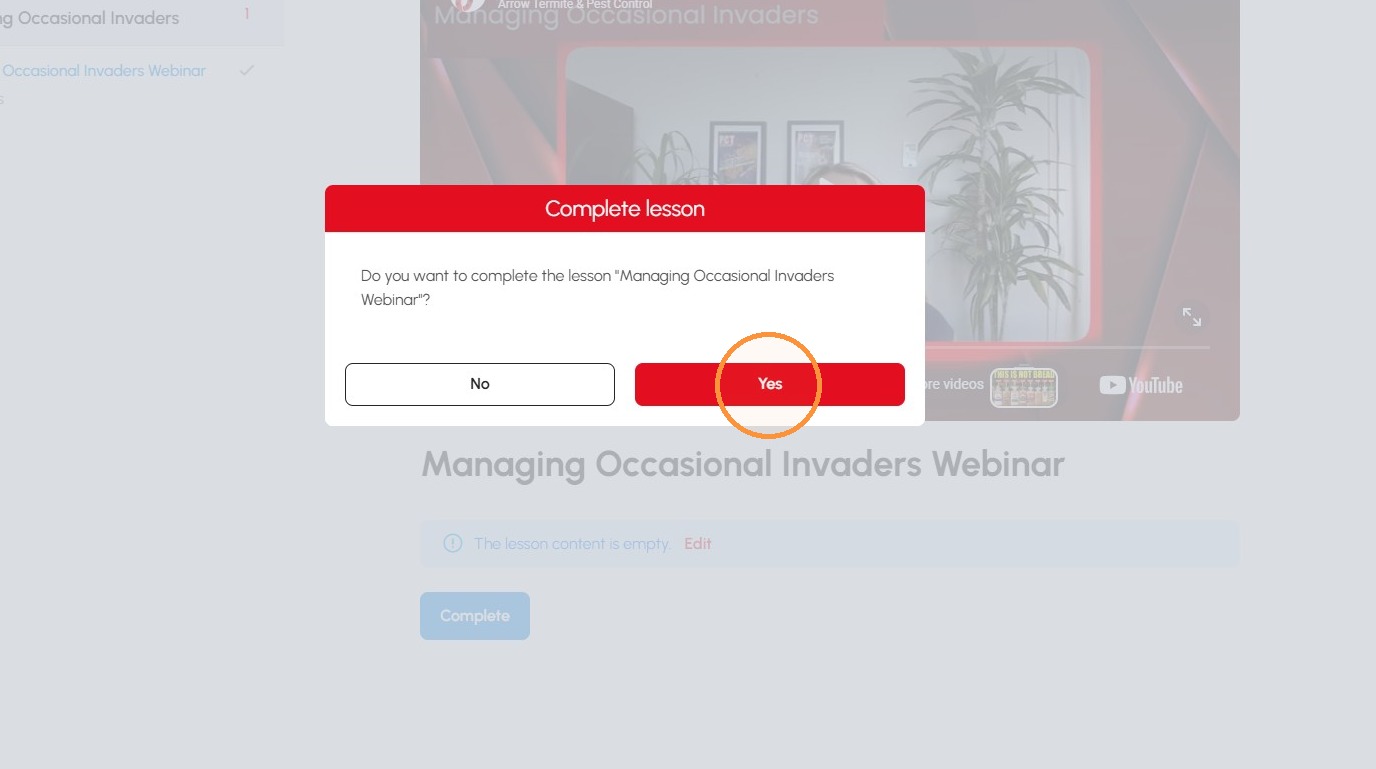
9. Click Yes to confirm lesson completion
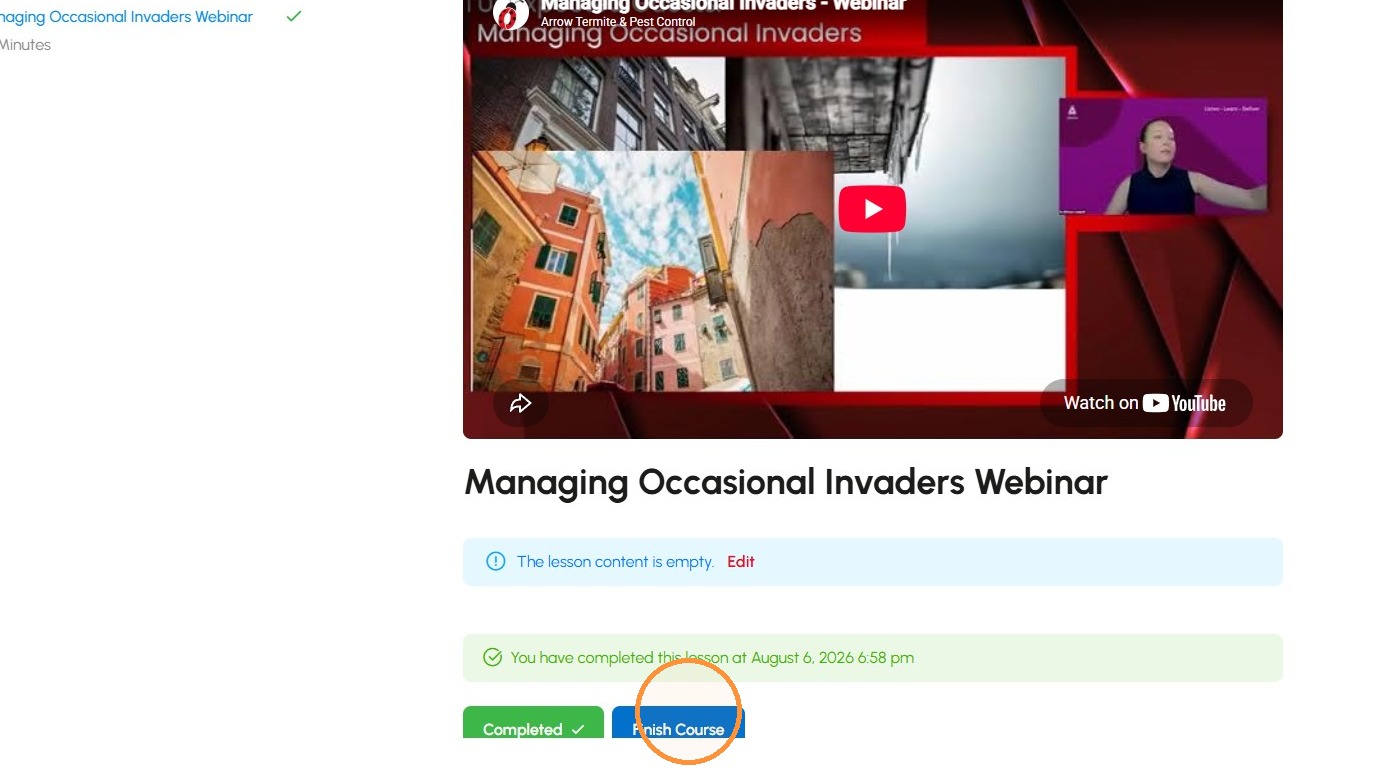
10. Click “Finish Course”