 Doc Summary

How to Add a New User to WordPress #
Learn how to quickly create a new user account within your WordPress admin dashboard. This guide simplifies the process of entering user details and assigning roles to manage site access effectively.
1. Navigate to https://hq.arrowtermiteandpestcontrol.com/wp-admin/
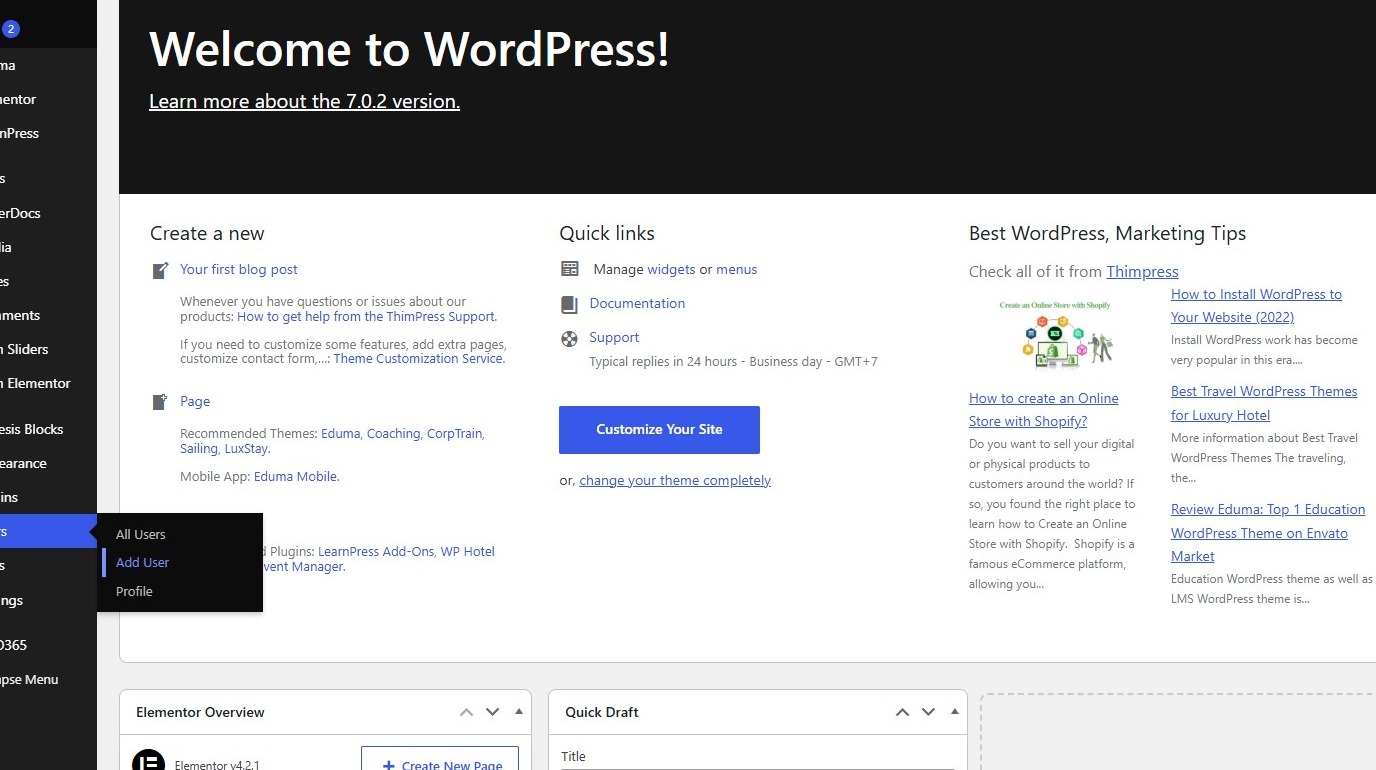
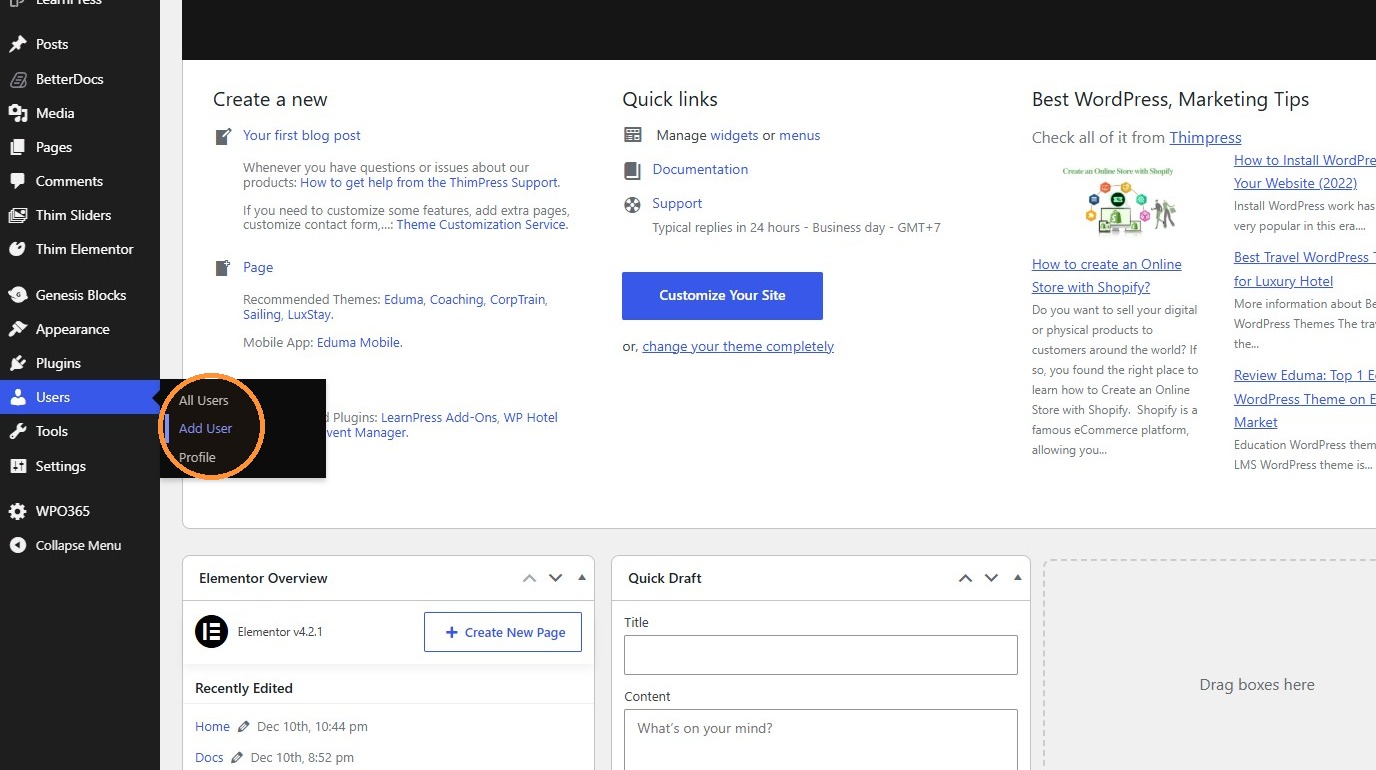
2. Click “Add User”
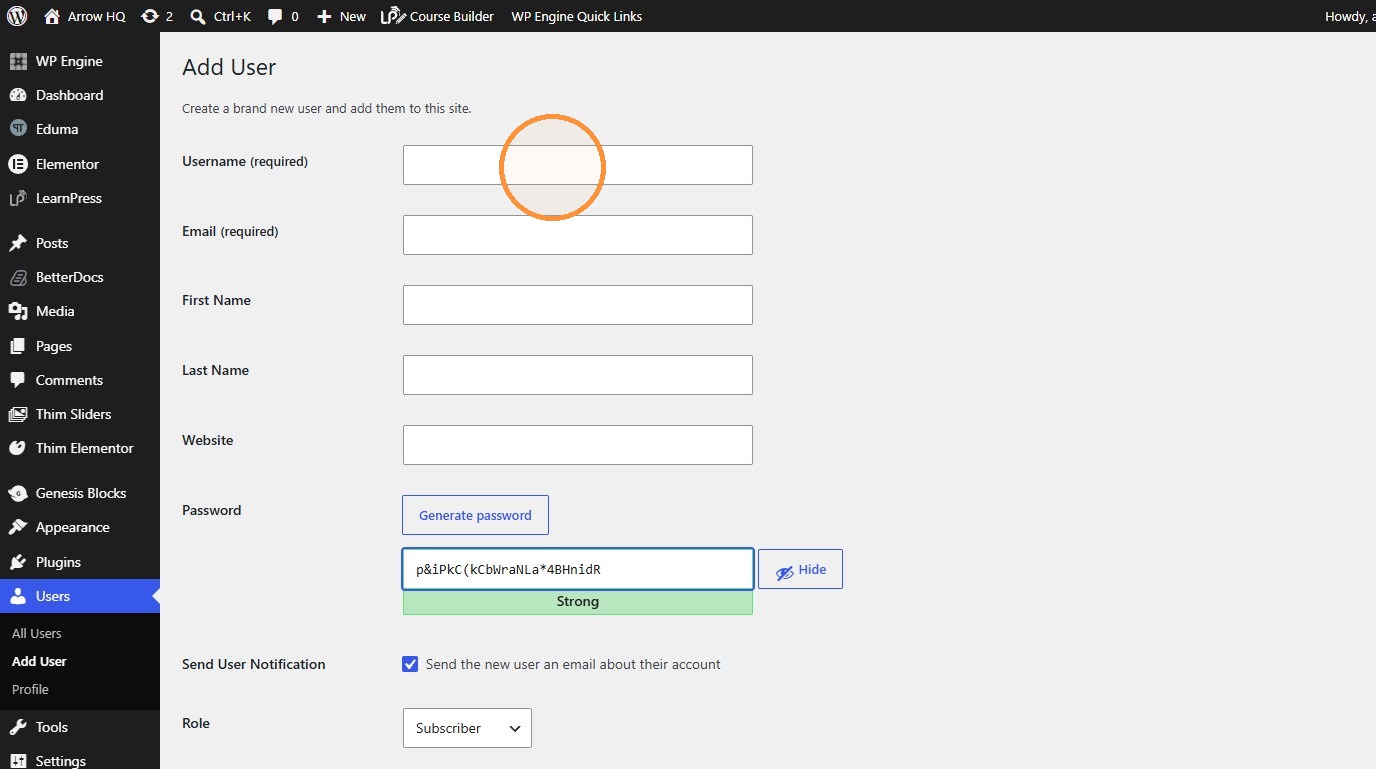
3. Click the “Username (required)” field.
4. Type “arrowrichard [[Tab]] richard@arrowtermiteandpest.com [[Tab]] Richard [[Tab]] Kelly”
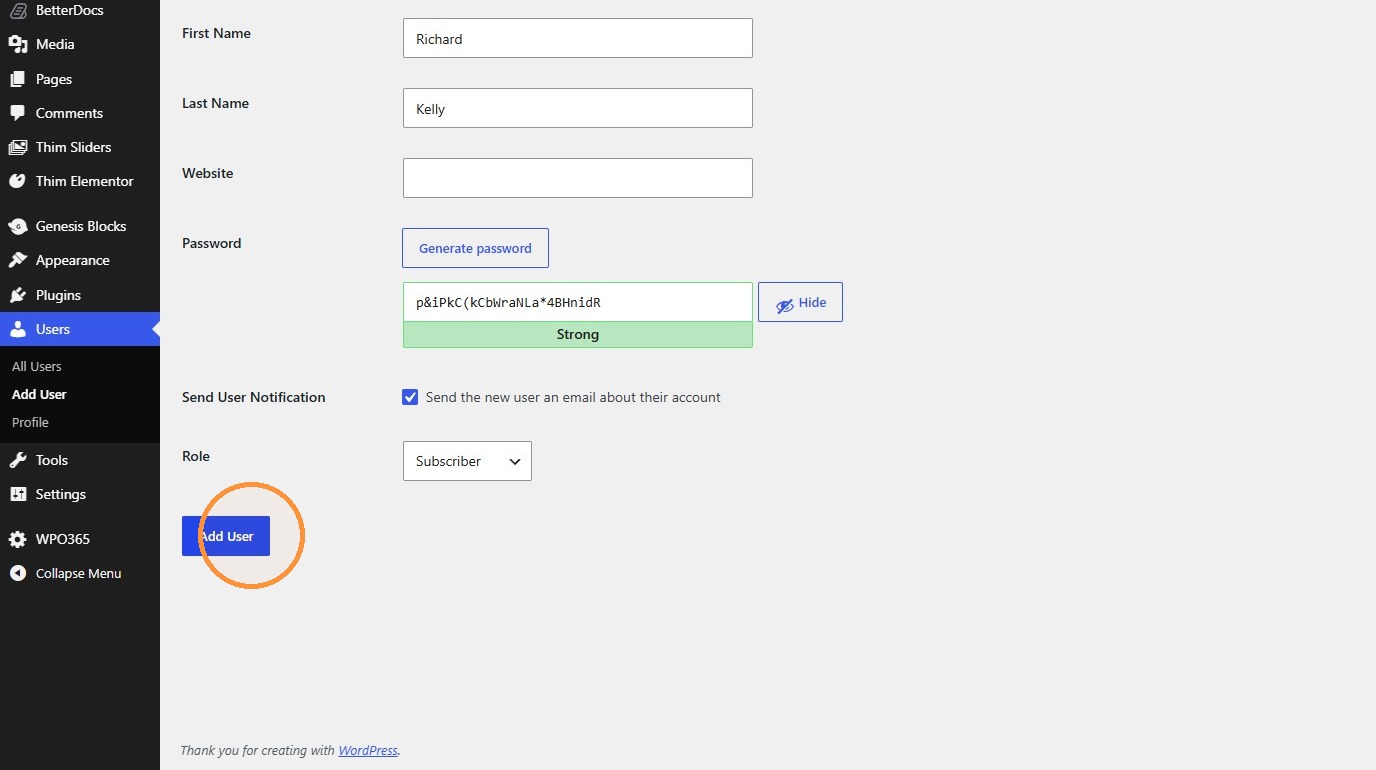
5. Click Add User