 Doc Summary

How to Manually Assign Courses to Users in WordPress #
This guide provides a step-by-step process for administrators to assign specific training courses to team members within the WordPress dashboard. Use this method to efficiently manage user enrollment and ensure staff have access to the necessary learning materials.
1. Navigate to https://hq.arrowtermiteandpestcontrol.com/wp-admin/index.php
Open Course Tools #
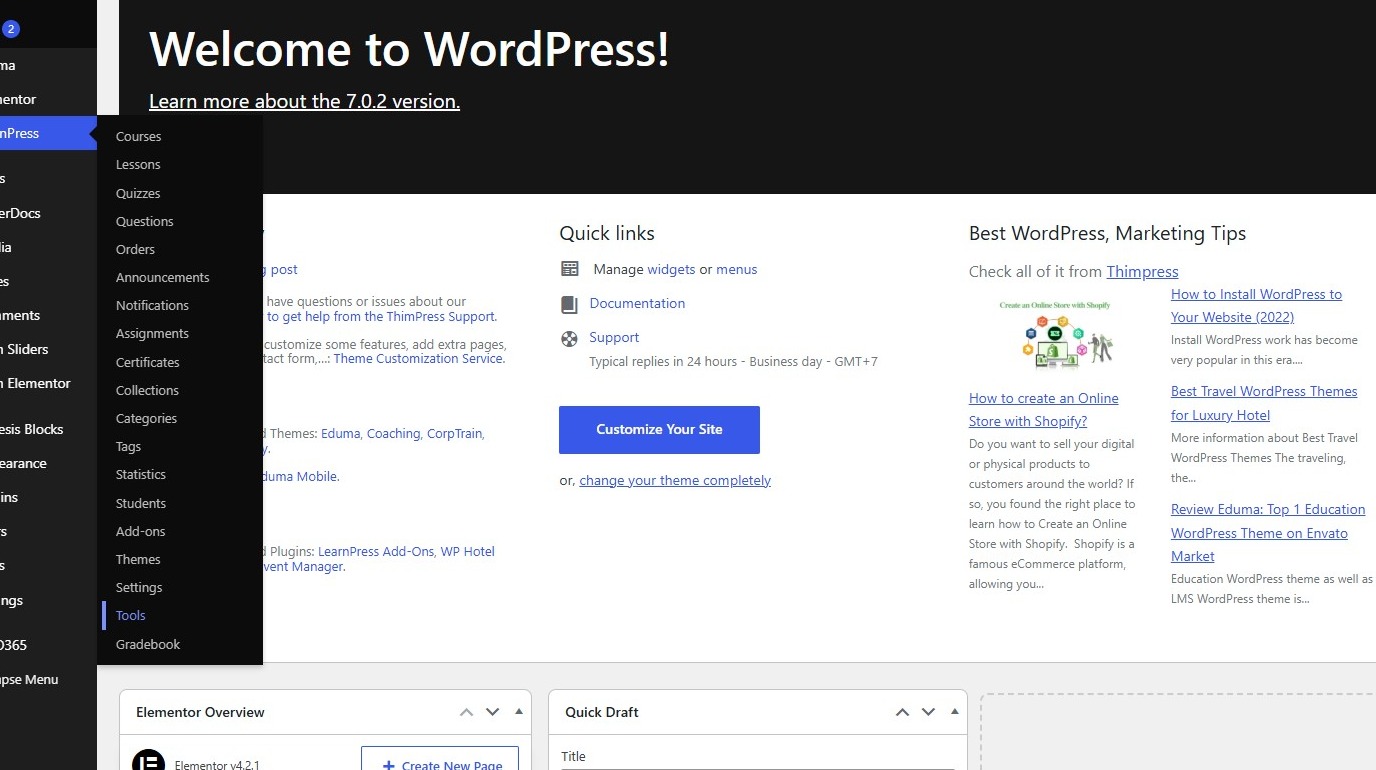
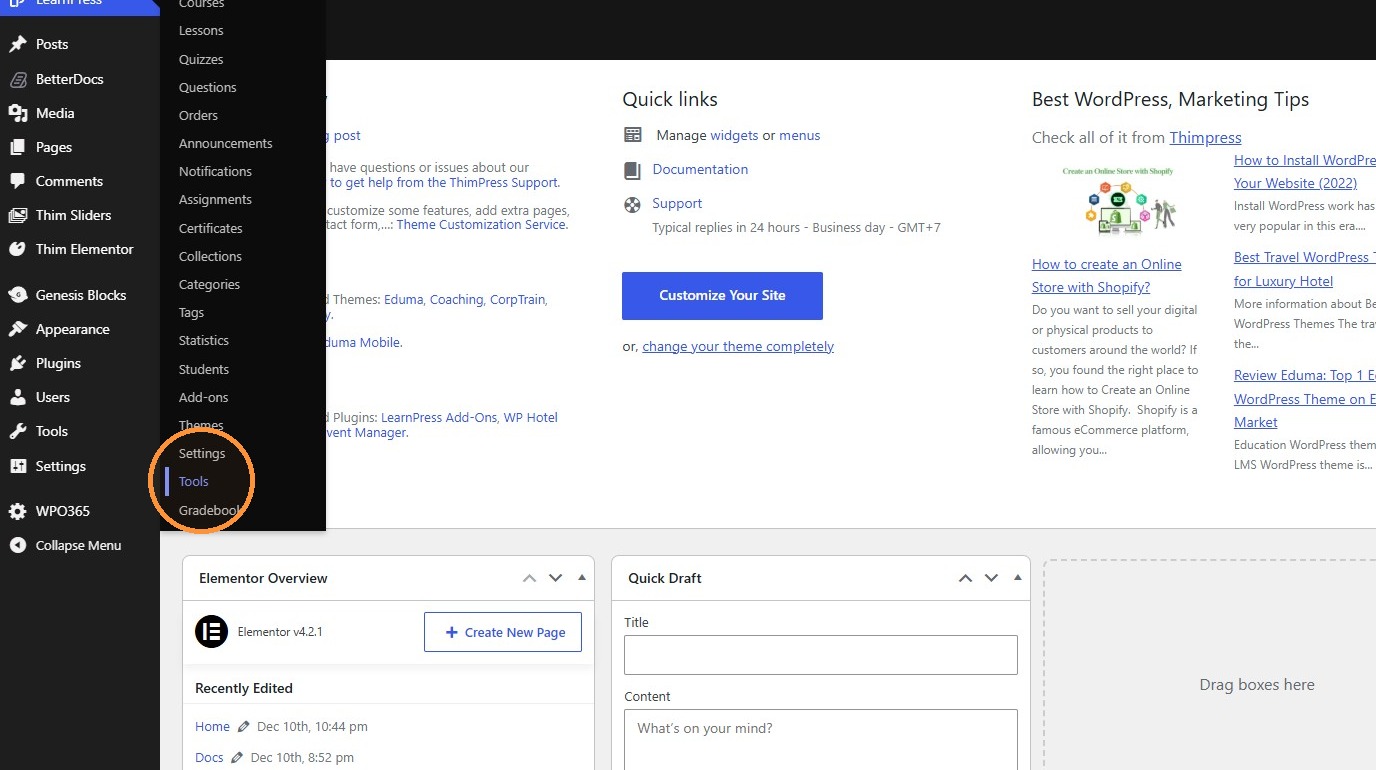
2. Click “Tools”
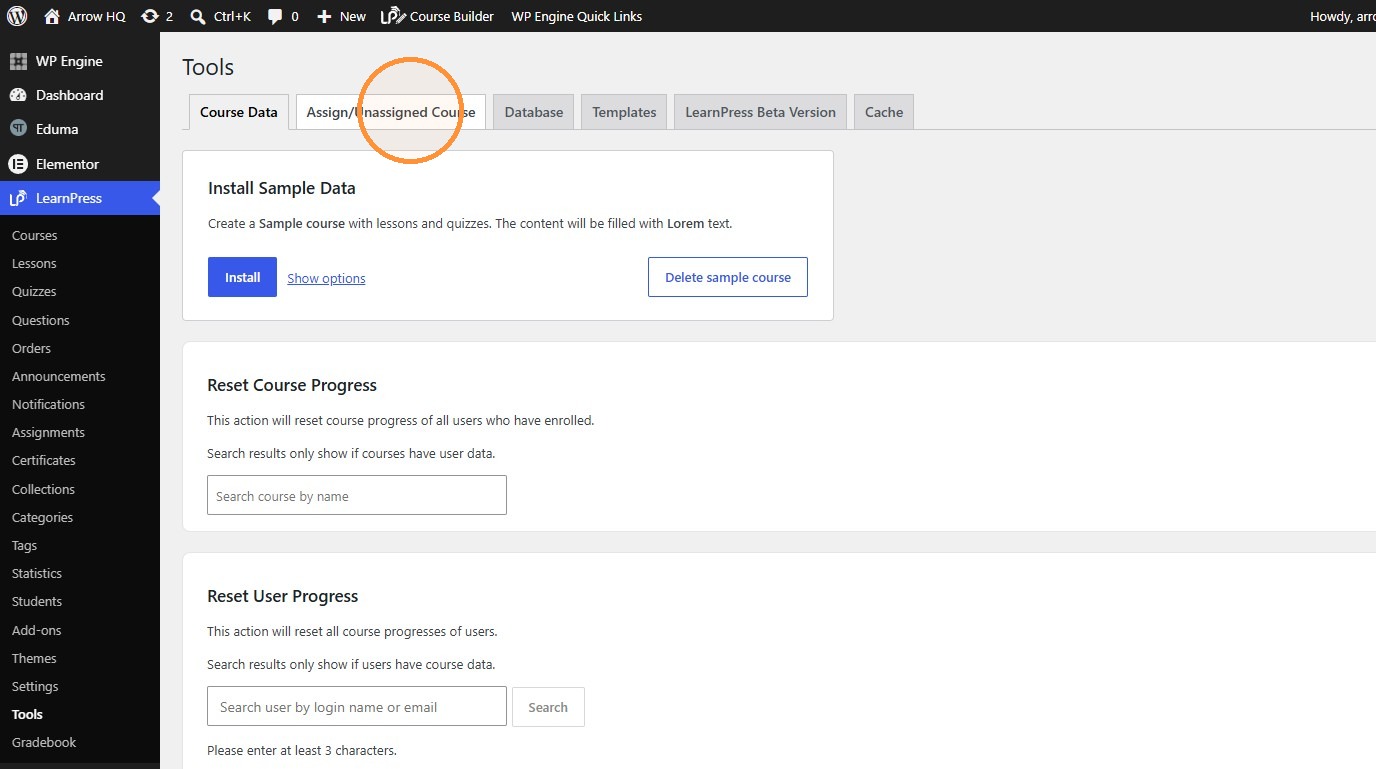
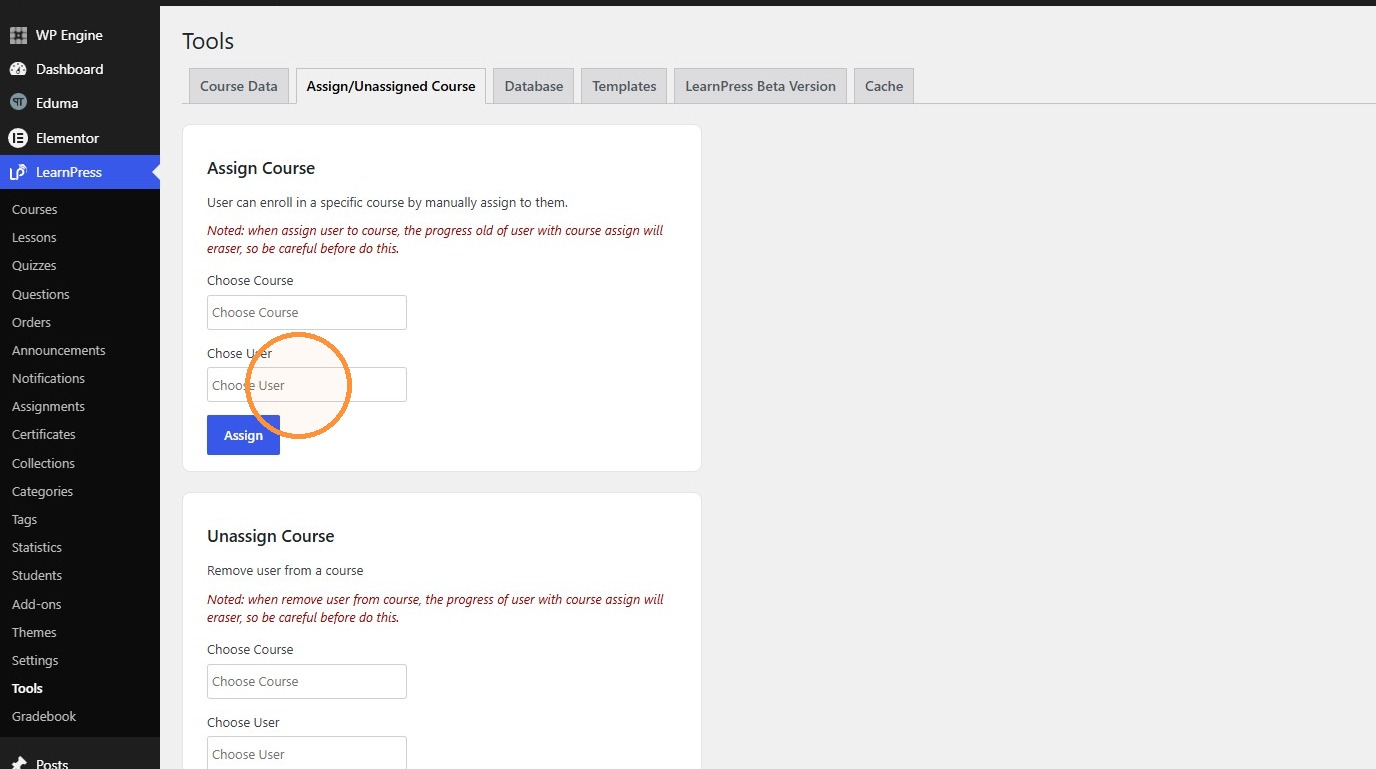
3. Click the “Assign/Unassigned Course” tab.
Select User and Courses #
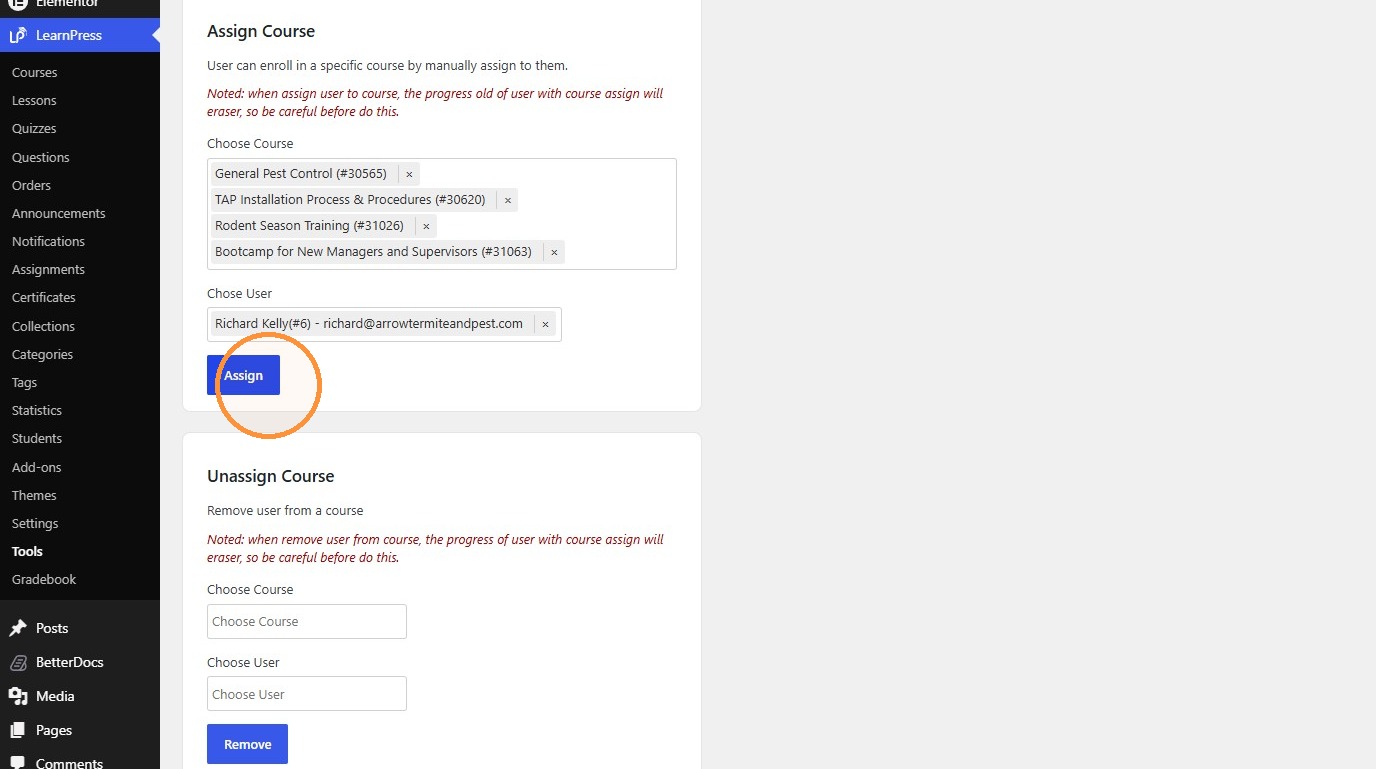
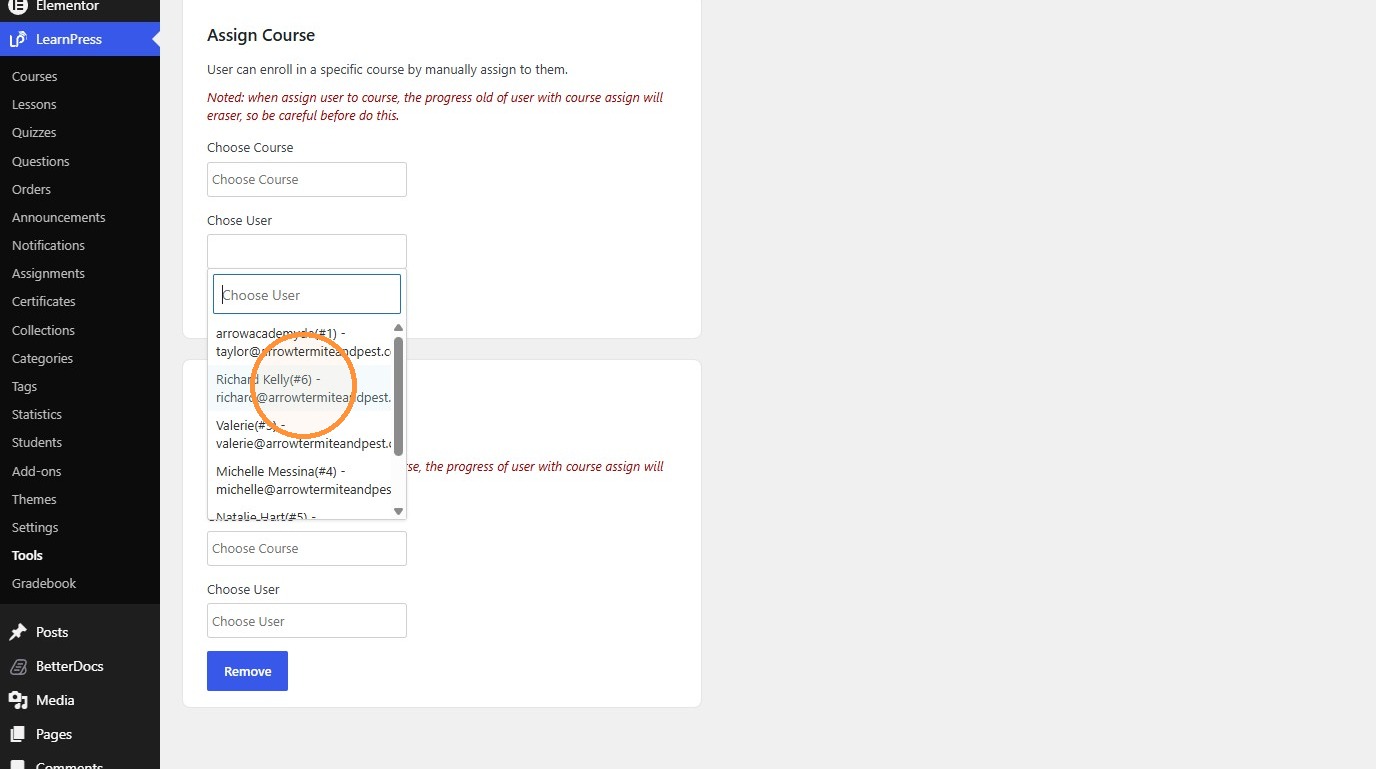
4. Select Richard Kelly (#6) in the Choose User field.
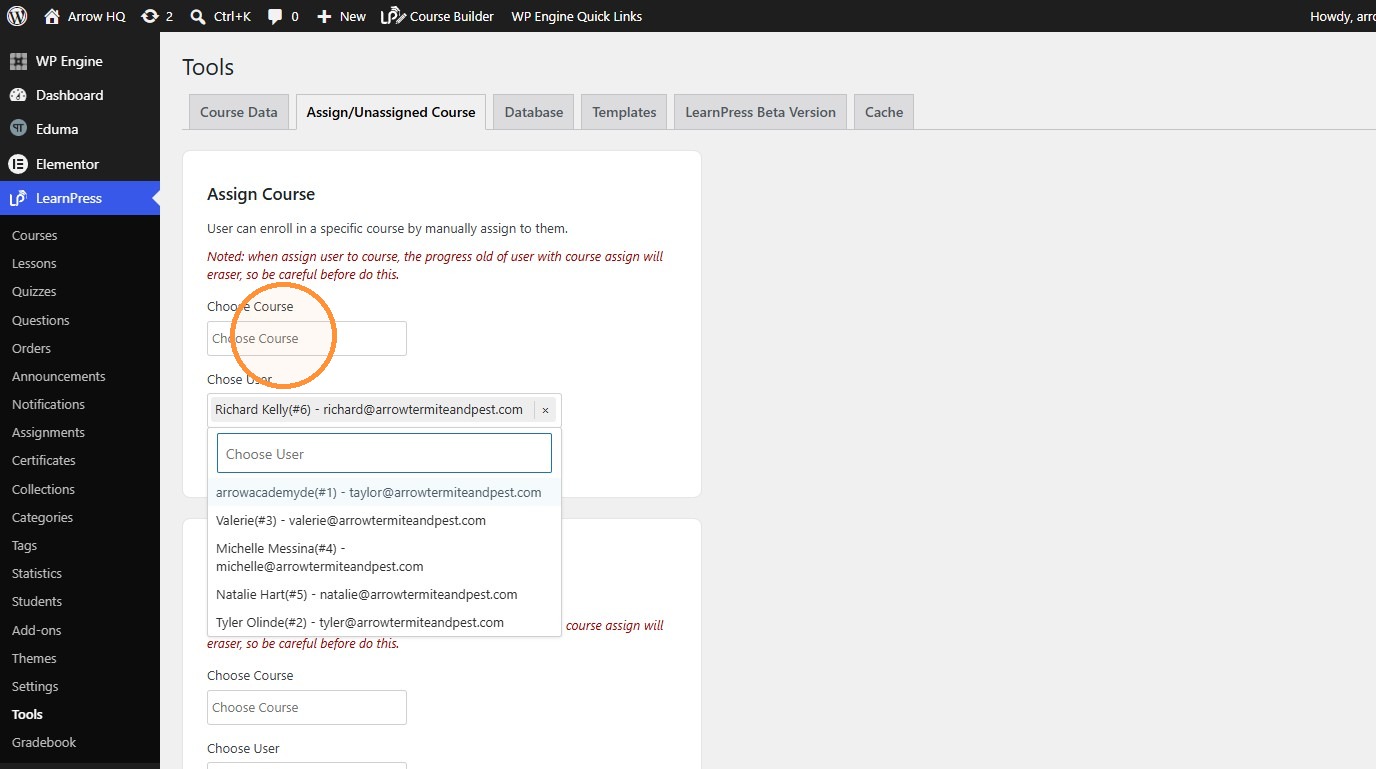
5. Select “General Pest Control (#30565)” in the Choose Course field.
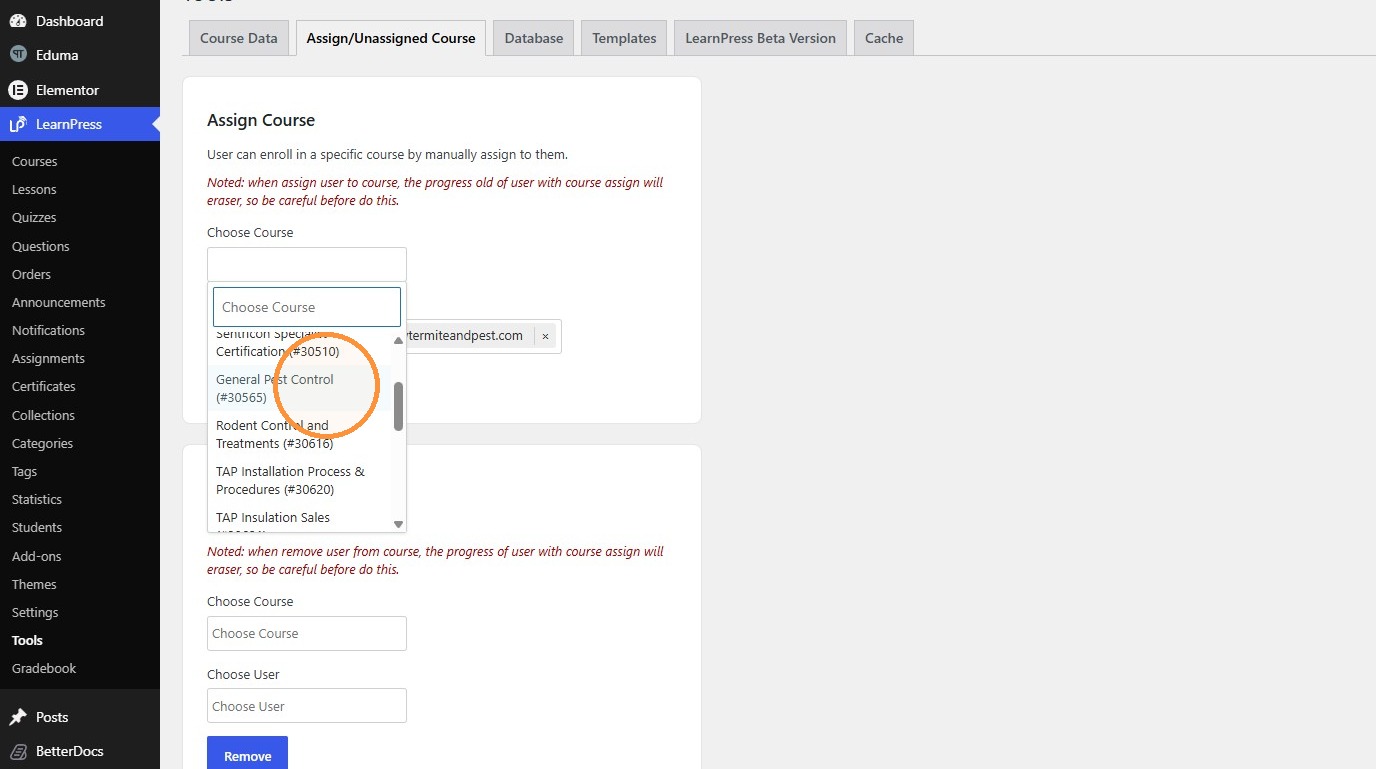
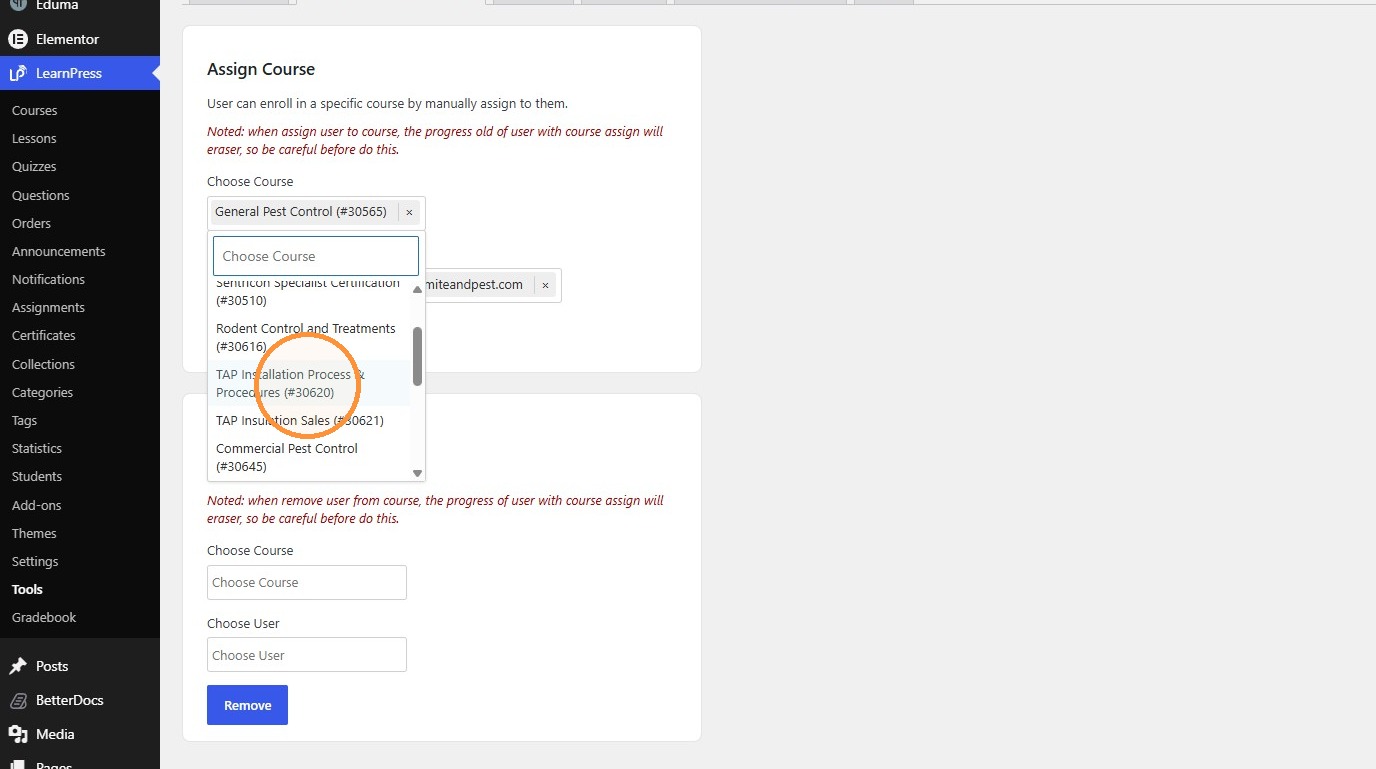
6. Click “TAP Installation Process & Procedures (#30620)”
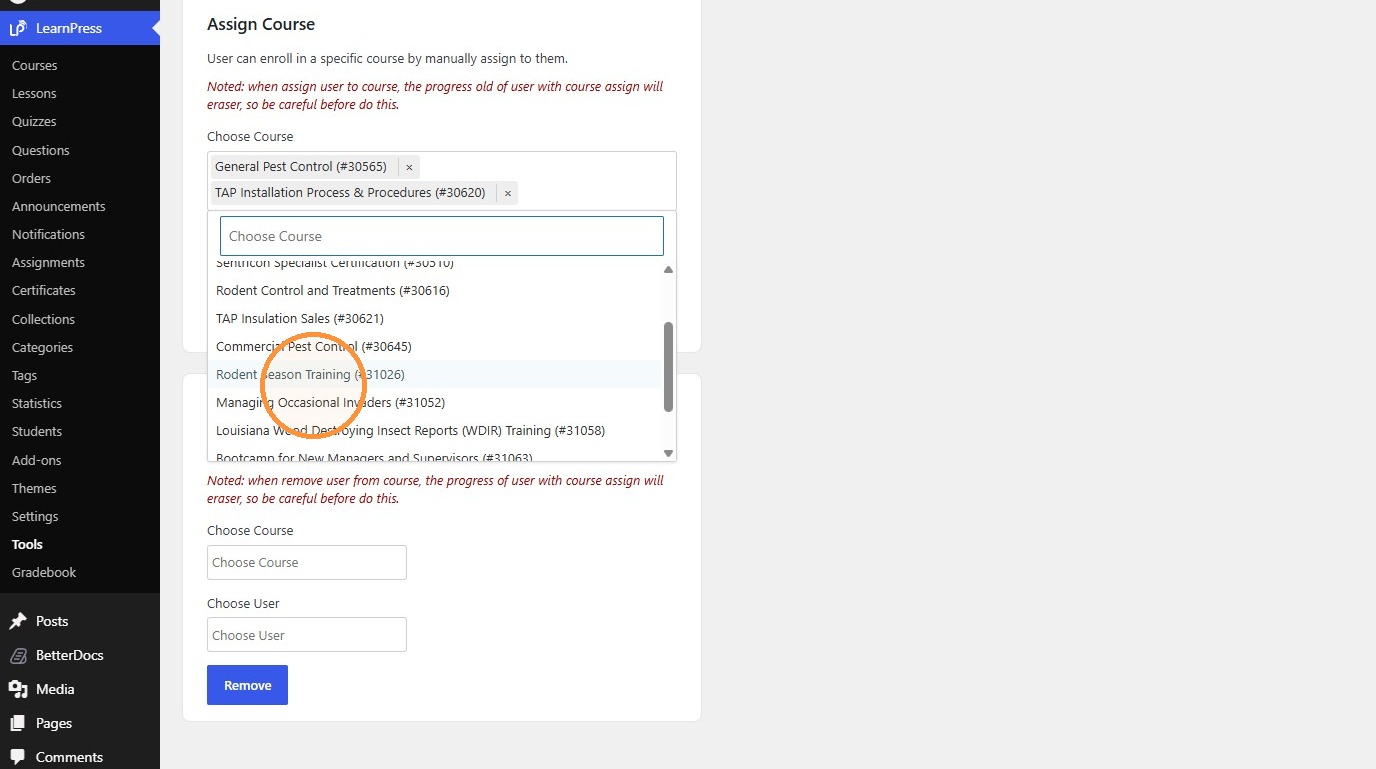
7. Click “Rodent Season Training (#31026)”
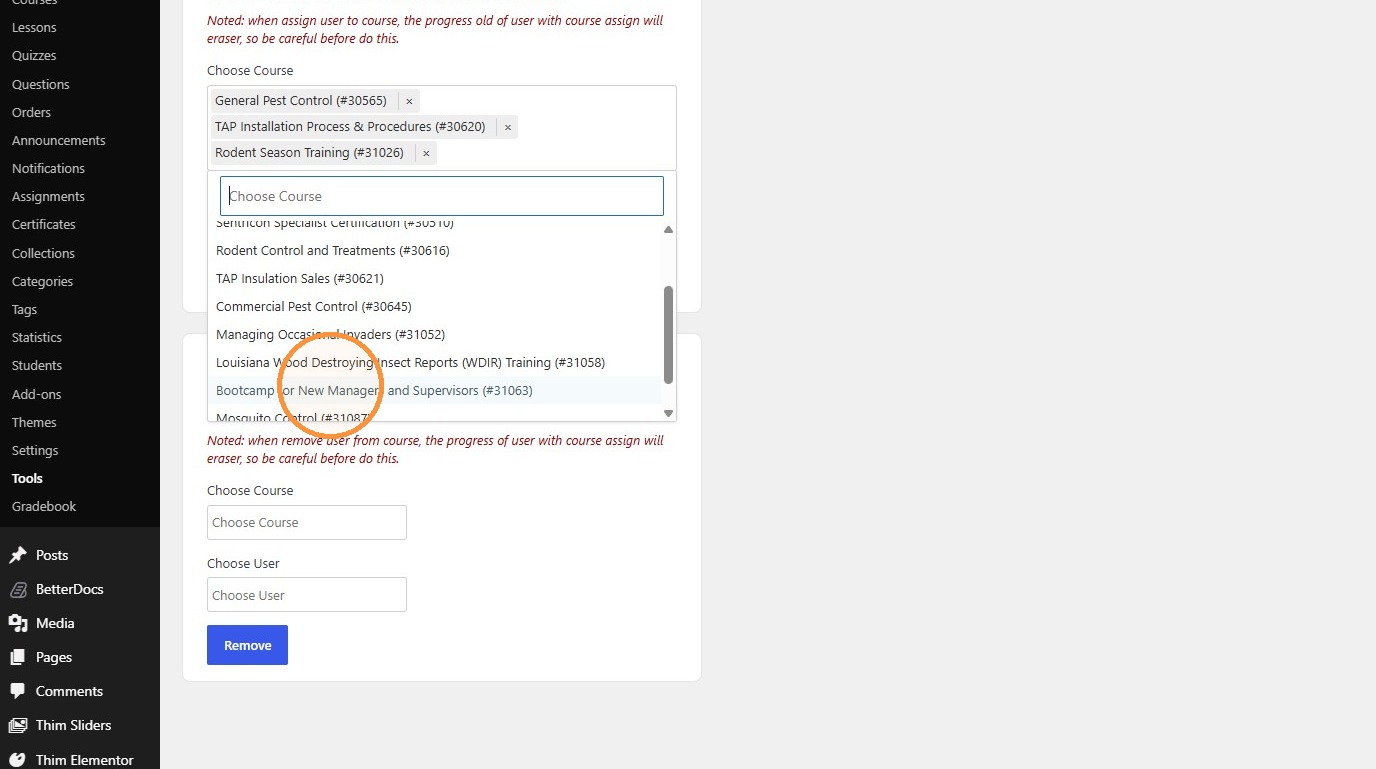
8. Click “Bootcamp for New Managers and Supervisors (#31063)”
Assign Courses #
9. Click “Assign”